Desks & Workstations Cable Management Guide
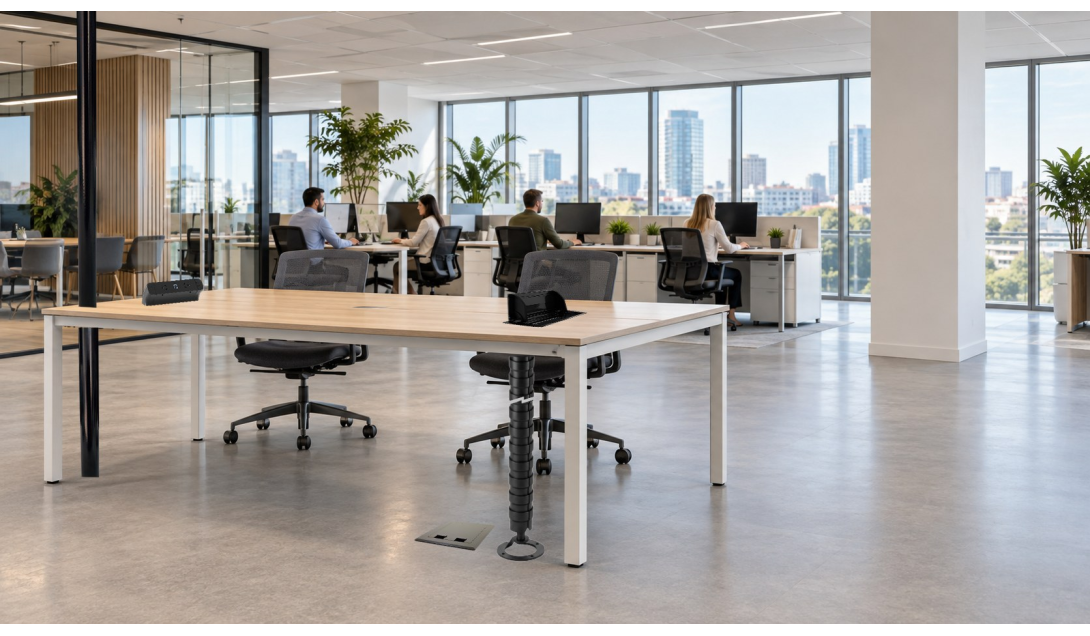
POWER TO EVERY DESK. NO MESS UNDER ANY OF THEM.
Everything you need to power desks and workstations, from service columns and umbilicals to 3 pole soft wiring, under desk baskets and Line8. What to use, what to think about, how to install it, plus a quick cheat sheet.
POWER TO EVERY DESK. NO MESS UNDER ANY OF THEM.
Desks are where cable management gets seen, kicked and unplugged. Get the power and data up to the desk top cleanly, keep it off the floor, and make it easy to move when the team reshuffles.
This guide works from the building supply up to the desk top. It covers the products that do the job, what to think about before you order, and how to use each one. If you're short on time, jump straight to the cheat sheet.
The products for desks and workstations
- Service columns: power and data down from the ceiling
- Umbilicals (flexible spines): cables from the floor or ceiling up to the desk
- 3 pole soft wiring: plug-and-play power distribution to each desk
- Under desk cable baskets: carrying cables and power under the desk
- Line8 power track: flexible power along the desk
Before you start: the big picture
- Know where the power comes from. Floor box, skirting duct or ceiling? That decides whether you need a service column, an umbilical or both.
- Count the desks and the circuits. Work out how many desks each circuit feeds, then plan the soft wiring layout around it.
- Sit-stand or fixed? Height-adjustable desks need flexible cable routes and slack. Fixed desks can be tighter.
- Keep power and data apart. Use separate channels in the column, spine and basket all the way to the desk.
- Plan for moves. Desks get reshuffled. Plug-and-play parts mean you move a lead, not rewire a circuit.
1. Service columns: from the ceiling to the desk
Service columns bring power and data down from the ceiling to desk clusters in the middle of a room, where there's no wall or floor box to feed from.
What to think about
- Floor-to-ceiling height at each column position.
- Separate power and data channels, and how many outlets you need.
- Where the column sits in the cluster. Keep it tight to the desks and clear of walkways.
- Colour and finish to match the furniture.
How to use it
- Feed cables from the ceiling tray straight into the column.
- Cut to height on site and fix securely at the top and bottom.
- Run a soft wiring interconnect lead from the column into the under desk basket.
2. Umbilicals: getting cables up to the desk
Umbilicals, also called flexible cable spines, carry cables from the floor or ceiling up to the desk in one neat, segmented column. Our Pathfinder range comes in desk-to-floor with a weighted base (no floor fixing needed), ceiling-to-desk and ceiling-to-floor versions, in black or white.
What to think about
- Where the cables come from: the floor (desk-to-floor) or the ceiling (ceiling-to-desk).
- Length, measured from desk underside to floor or ceiling, with sit-stand travel added.
- Fixing: a weighted base for no floor penetrations, or a screwed base for a fixed position.
- How many cables need to go through, and whether power and data must be kept apart.
- Colour to match the desk frame.
How to use it
- Screw the top mount under the desk, close to the under desk basket.
- Feed the power and data through the spine's separate channels.
- On sit-stand desks, check the spine flexes through the full height range without pulling cables tight.
- One spine per desk pod keeps things tidy. Don't run loose cables alongside it.
3. 3 pole soft wiring: plug-and-play desk power
3 pole soft wiring (active, neutral and earth) is the most common system for general desk power. It's a modular, plug-and-play system rated to 20A and built to AS/NZS 61535. The electrician installs the starter, and after that runs can be extended, split and moved by plugging leads together, with no rewiring.
The parts and what they do
- Starters: the start of the run. They connect the soft wiring to the building's fixed wiring via a wall plate, starter cable or free-end cable.
- Distribution blocks: split one supply into several outputs (1 in 2, 1 in 3 or 1 in 5) to feed a row or pod of desks.
- Interconnect leads: link and extend the run, from 600mm to 10m, in black or white, with positive-locking connectors.
- Snap-in connectors (push-in terminal): tool-free panel connections, no screwdriver needed.
- Installation couplers (screwed terminal): permanent, panel-mounted connections.
- Rewireable connectors (screw-in terminal): can be opened and rewired on site.
- GPO outlets: single, double and quad outlets, with optional USB charging.
- In desk power: recessed modules that sit flush in the desk top, with power, USB and wireless charging options.
- Desk top power: surface-mount aluminium rails for hot desking, with tool-free relocation and USB-C charging.
What to think about
- Circuit load. Count the desks and devices on each circuit, and check them against the 20A rating and the circuit protection.
- The layout: starter, then distribution block, then leads to each desk. Sketch it before you order.
- Lead lengths. Measure the actual runs, allowing for sit-stand travel, and don't guess.
- Outlet type at the desk: GPOs in the basket, in-desk modules or desk top rails.
- Lead colour, black or white, to suit the furniture.
How to use it
- The starter connection to fixed wiring must be done by a licensed electrician.
- From the starter, plug in a distribution block, then run interconnect leads to each desk.
- Sit the distribution blocks and spare lead in the under desk basket, not on the floor.
- Push connectors until they lock. Positive locking stops leads being pulled out by accident.
- Label each lead and circuit so moves and fault-finding are quick.
4. Under desk cable baskets: keeping it off the floor
Under desk cable baskets fix under the desk and carry the soft wiring, power boards, adaptors and data cables, so everything stays off the floor and away from feet, chairs and cleaners.
What to think about
- Desk width and frame type, so the basket length and fixings suit the desk.
- A continuous run along bench desking, or one basket per desk.
- Room for distribution blocks, spare lead and power supplies.
- Where the umbilical or service column meets the basket.
How to use it
- Fix it to the desk frame or underside before the desk is loaded up.
- Lay the soft wiring leads and blocks in first, then the data cables.
- Leave slack at the umbilical entry on sit-stand desks.
- Tie or clip the cables inside the basket so nothing hangs down.
5. Line8 power track: flexible power along the desk
Line8 modular power track gives continuous power along a desk, bench or wall. Users twist in Line8 sockets wherever they need them, so there are no fixed outlet positions.
What to think about
- Track length for each desk or bench run.
- Surface-mounted, or custom recessed into the joinery.
- How many sockets each user needs.
- The feed point and how it connects back to the soft wiring or fixed supply.
How to use it
- Mount it on, under or in the desk. Recessed gives the cleanest finish.
- Sockets twist in and slide anywhere along the track, which suits hot desks and shared benches.
- Hide the feed cabling in the under desk basket.
Quick cheat sheet: desks and workstations
No time? Here's the whole job on one page.
| Product | Where it goes | Use it when | Key tip |
|---|---|---|---|
| Service column | Ceiling to floor, beside the desks | Power and data come from the ceiling | Measure the ceiling height at every column |
| Umbilical | Floor or ceiling up to the desk | Cables would otherwise hang loose to the desk | Allow for sit-stand travel in the length |
| Soft wire starter | Wall or ceiling, at the fixed wiring | Starting a soft wiring run | Must be installed by a licensed electrician |
| Distribution block | In the under desk basket | Splitting one feed to 2, 3 or 5 desks | Check the circuit load against the 20A rating |
| Interconnect lead | Between the blocks and the desks | Linking and extending runs | Measure the real run, from 600mm to 10m |
| GPO / in desk / desk top power | At the user | Giving each person power and USB | Match the outlet type to how the desk is used |
| Under desk basket | Under the desk | Always | Leads and blocks in first, then data |
| Line8 power track | On, under or in the desk | Hot desks, shared benches or changing layouts | Sockets move anywhere along the track |
Workstation checklist
- ☐ Power source confirmed (floor, wall or ceiling)
- ☐ Desks per circuit counted and checked against the load
- ☐ Soft wiring layout sketched: starter, blocks, leads
- ☐ Lead lengths measured, including sit-stand travel
- ☐ Umbilical and column heights measured
- ☐ Power and data kept separate to the desk top
- ☐ Outlet type chosen: GPO, in desk, desk top or Line8
- ☐ Baskets fitted and everything labelled
Got a desk fit out coming up?
Add what you need to a quote as you browse, or send us your desk layout and we'll price the lot. Prefer to talk it through? Call us on 1300 883 452.
We have stock and support across Sydney, Perth, Newcastle, Tasmania, New Zealand and Fiji.
Also in the Shop by Job series: Office Fit Out, Comms & Data Rooms, and Industrial & Outdoor.